 ClawMetry
Field notes
Building Mizu with SO-101 arms: ClawMetry at La Machine
A firsthand account of Mizu, the Healthy Desktop prototype, with original team photos and the historical ClawMetry dashboard.
A robot beside your desk makes oversight personal
At La Machine in Amsterdam, our team built Mizu, a Healthy Desktop prototype with SO-101 arms. The idea came from an ordinary workday: a glass of water left untouched, hours without a break, and a desk that slowly fills with paper. We wanted a companion that could bring water within reach, encourage movement, and help tidy the workspace. The prototype combined robot arms, cameras, and a conversational character on a tablet.
The La Machine event ran October 2 to 4, 2026. Its organizers gave teams access to SO-101 hardware and time to build a working demonstration. For ClawMetry, that weekend made Physical AI concrete. A software agent can print a confident sentence while a physical arm is still in the wrong place. Sitting beside the machine makes the difference immediately visible.
The build was more than a prompt
We worked through assembly, calibration, demonstrated movements, camera placement, and the connection between the application and the arms. Mizu used specific learned or demonstrated skills rather than an unrestricted promise to do anything a person could ask. That distinction matters when describing a robotics prototype: a useful small repertoire is a real achievement, but it does not establish general autonomy.
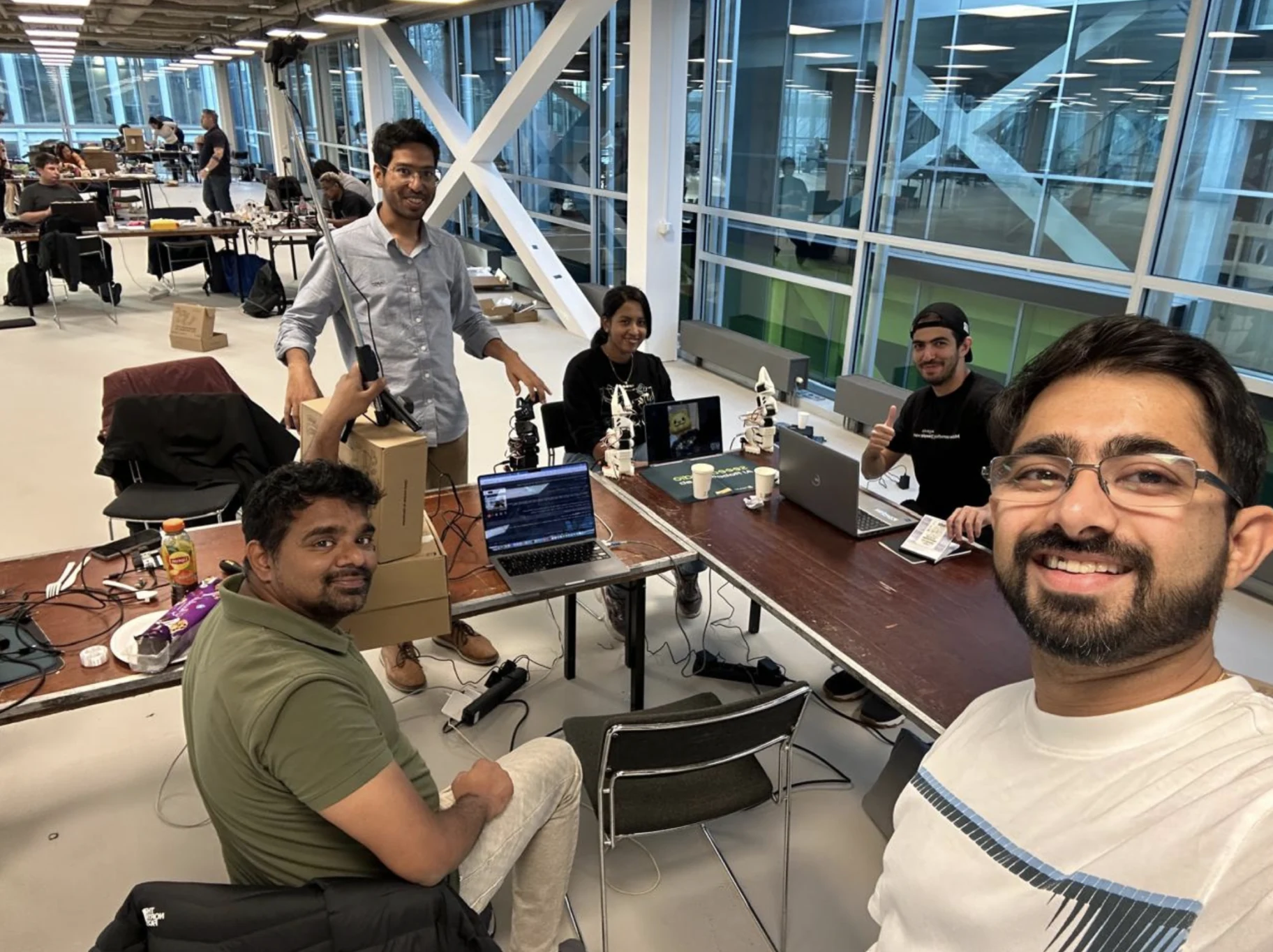
I built alongside Manan, Seran, and Sam. The work was collaborative and hands-on. A photograph of the team and the unfinished worktable says more about the weekend than a polished stock image of a humanoid. The cables, tools, computers, and arm mounts were all part of making the prototype work.
What ClawMetry showed in our setup
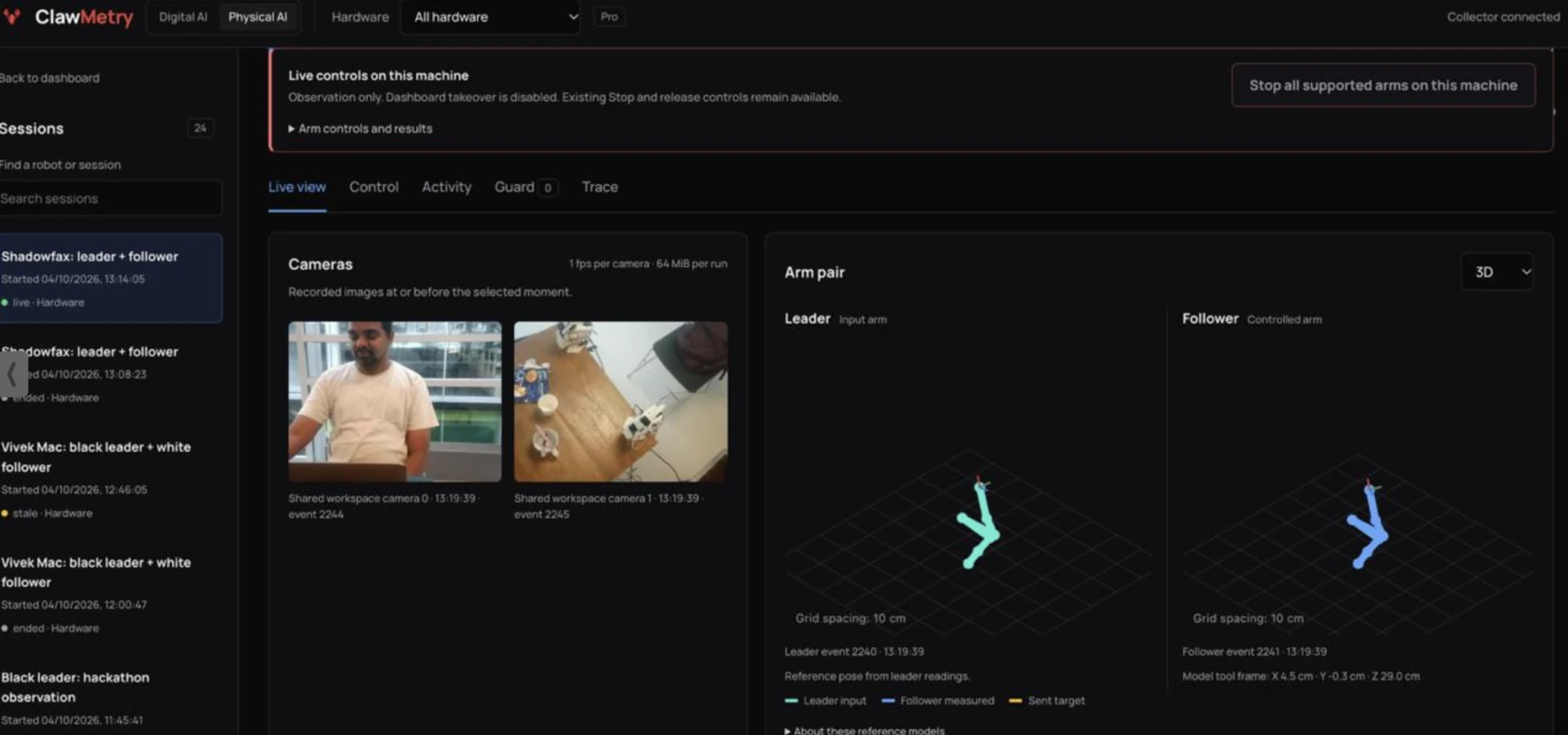
The saved dashboard screenshot shows two camera views beside reference models for the leader and follower arms. The project sessions also record local camera capture, stored activity, and motion-history inspection. This gave us different ways to ask what happened: look at the scene, inspect the reported arm state, and go back through recorded events.
Those views were not interchangeable. A model pose was a representation derived from available readings. A camera frame showed a particular moment from a particular angle. The last saved state of a disconnected session was history, even when it still looked plausible on screen. A useful observer has to make all three distinctions easy to understand.
The difficult part was knowing what we could confirm
The hardware sessions include a revealing stop check. Continued wrist movement meant the software did not confirm the requested hold or grant manual takeover. That is the right shape of uncertainty to preserve in a product: the operator needs to know that a request has not been verified. A button changing color would not have answered the physical question.
This is a historical account of our tested setup. It does not establish a safety-rated stop, universal SO-101 compatibility, or protection against every possible malicious instruction. The local controls and the observation path also had different enablement states during the weekend. We should describe what a particular session captured, rather than treating the presence of a control as proof that it worked in every run.
What we are carrying into the next integration
Mizu gave ClawMetry a practical starting point: connect the task, the available camera evidence, measured arm state, and the operator's actions. The next challenge is to make that connection reproducible across exact hardware and software versions. A good integration report should explain the task attempted, what the observer recorded, where the evidence stopped, and what remained unconfirmed.
If you are building with SO-101 or LeRobot, begin with one supervised task and a recording you can inspect afterward. Our companion guide explains the evidence to collect. When a robot works beside a person, that person needs a clear account of the task and its outcome.
Sources and evidence
External sources support the attributed background. Integration accounts describe historical project evidence. Guidance and proposed tests are identified in the article.